Indoor security camera: what to look for before you buy

Some images are AI generated
By: Bas | Last updated: 19 August 2026
An indoor security camera is a camera you place inside your home that sends live video to your phone. You use it to see what happens at home while you are out, to get an alert when something moves, and to play back footage later. Most indoor cameras run on wifi and mains power, and you control them from an app. They are smaller and cheaper than outdoor cameras, because they do not have to cope with rain and frost. A camera inside your home does not replace an alarm system or a good lock. It gives you information, so you can decide what to do.
KUUS. was set up by Eric and Bas, father and son. We sell cameras, but we did not write this article to talk you into one. We tell you what an indoor camera does, what it does not do, and when you are better off not buying one. Honest advice is worth more in the long run than a quick sale.
Contents
- What you use a camera inside your home for
- What to look for in an indoor security camera
- Why 2K is usually enough
- Storage on an SD card or in the cloud
- A camera for your pet
- Privacy and the law
- What an indoor security camera costs
- When an indoor camera is not a good choice
- Frequently asked questions
- Final thoughts
What you use a camera inside your home for
People buy an indoor camera for four reasons. The first is burglary: you want to know whether someone is inside, and you want footage for your local police force or your insurer. The second is a pet. The third is checking in on the people you live with, for example whether the children got home from school. The fourth is keeping an eye on the house while you are on holiday.
Those goals ask for different things. For burglary you want accurate alerts and night vision. For a pet you want a live feed and a wide view. Decide what you want the camera for before you look at specifications, or you will pay for features you never use.
What a camera does not do is stop a break-in. A camera records; an alarm makes noise and drives someone off. If you want both, pair a camera with an alarm system and solid locks.
What to look for in an indoor security camera
Field of view and pan-tilt
A fixed camera looks one way. That is fine for a hallway or a front door. For a living room, a camera with pan-tilt is more practical. It turns, so one camera covers the whole room. The KUUS. BC1 turns 360 degrees horizontally and 114 degrees vertically. You steer it with your finger in the app, or you let it follow movement on its own.
Motion detection and alerts
Basic cameras flag every change in pixels. Then you get an alert for a curtain moving or sunlight falling through the window. After three days you switch the alerts off and the camera is no use to you. So choose a camera that tells people, animals and everything else apart. The BC1 uses AI motion detection, recognises people and animals, tracks them, and sends a push alert to your phone.
Night vision
Indoors it is often pitch dark at night. A camera without night vision gives you a black screen. Infrared night vision gives you a black and white image without any light in the room. That is exactly the moment you need the camera most.
Sound
Sound detection is useful when the camera does not see the whole room. Breaking glass, a barking dog or a loud noise in another room still gets you an alert. The BC1 can send an alert based on sound.
Power and wifi
Most indoor cameras run on mains power. That is an advantage, because you never have to charge batteries and the camera is always on. You do need a socket nearby. The BC1 runs on mains power through the supplied power cable and has no battery. Also think about your wifi. An indoor wifi camera sitting at the edge of your signal gives you stuttering video and late alerts.
The app
The app decides how pleasant a camera is to live with. Check whether the app is in a language you read, whether you can set alerts per camera, and whether playback is easy to find. The BC1 works with the KUUS PRO app.
Why 2K is usually enough
Resolution is the number most people look at, and usually for the wrong reason. 2K is roughly 2560 by 1440 pixels. That is clearly sharper than Full HD, and more than enough indoors to recognise a face, a dog or a parcel. Distances inside are short. You are filming a room of four by five metres, not a car park.
More resolution costs you something too. 4K footage takes up more space on your SD card, so you can play back fewer days. It asks more of your wifi and of your internet connection when you watch from elsewhere. For a long driveway or a large commercial building, 4K makes sense. For a living room, a hallway or a kitchen, 2K is the better choice.
Look at what sits underneath the resolution as well. A cheap 4K camera with a poor lens and weak night vision gives you a worse night-time image than a good 2K camera.
Storage on an SD card or in the cloud
There are two ways to keep footage: locally on a micro SD card in the camera, or in the cloud on the manufacturer's server.
| Point | SD card in the camera | Cloud storage |
|---|---|---|
| Cost | One-off, the card is often in the box | Monthly or yearly |
| Availability during an internet outage | Keeps recording | No recording without a connection |
| If the camera is stolen | Your footage goes with it | Footage stays saved |
| Playback period | Limited by the size of the card | Depends on your plan |
| Where your footage sits | In your home | On an external server |
For most people at home, an SD card is enough. The BC1 comes with a 32GB card in the box, good for about 5 days of playback. You can swap it for a larger card, up to 128GB. Cloud storage on the BC1 is optional and paid, on servers in Germany. So you do not need a subscription to use the camera. Cloud is mainly worth it if you are worried someone will walk off with the camera, because the footage on the card goes with it.
A camera for your pet
Watching a pet is one of the most common uses for a camera indoors. You want to see whether your dog stays calm while you are out, whether the cat is back up on the worktop, or whether something is wrong with an animal that has been ill.
Three things matter here. A camera that turns is handy, because animals do not stay in one place. Night vision helps, because many animals are active in the dark. And animal recognition cuts a lot of noise from your alerts, because you are not pinged every time a curtain moves. As well as people, the BC1 recognises animals and can follow them as they walk across the room.
Privacy and the law
You are allowed to put cameras up in your own home. You can film your own home and keep footage for your own use. There are limits, and they are more sensible than people expect.
A camera indoors should not film the public street, or your neighbours' garden or house. If you put a camera behind a window, check in the app what is actually in frame. With a camera that turns 360 degrees this matters even more, because a camera that swings past the window suddenly sees the pavement. Once you capture footage beyond your own property, UK data protection rules apply, and the Information Commissioner's Office (ICO) publishes plain guidance on what that means for home CCTV.
If you employ someone, such as a cleaner, you have to tell them. Make clear that there are cameras and where they are. The same goes for a babysitter or a tradesperson working in your home for any length of time. Hidden cameras pointed at people who work for you are not allowed.
In practice: do not put a camera in a bedroom or a bathroom, tell the people you live with where the cameras are, and switch the camera off when everyone is home. This is general information, not legal advice.
What an indoor security camera costs
Indoor cameras run roughly from 25 to 200 euro. The difference sits in the detection, the storage, and whether you need a subscription.
| Price band | What you get | What to watch for |
|---|---|---|
| 25 to 50 euro | Full HD, fixed or turning camera, basic detection | Plenty of false alerts, weak app, sometimes no SD card |
| 50 to 100 euro | 2K, pan-tilt, person and animal recognition, night vision, SD card | Check whether a subscription is compulsory |
| 100 to 200 euro | 4K, extra sensors, wide range of smart features | Often needless for an ordinary living room |
These figures are a guide and change by brand, model and moment.
The KUUS. BC1 costs 69.99 euro and sits in the middle group, with 2K, pan-tilt, night vision, AI detection of people and animals, sound detection and a 32GB card. Do not count the purchase price alone; count what storage costs you per year. A 40 euro camera with a 4 euro monthly plan costs more after two years than a 70 euro camera with no subscription.
When an indoor camera is not a good choice
- You want to prevent a break-in. A camera indoors barely deters anyone, because a burglar only sees it once he is already inside. Start with BS 3621 locks, lighting and an alarm; the Secured by Design scheme is a useful place to check what is worth buying.
- You have no socket in the right spot. The BC1 and most indoor cameras run on mains power. With no socket nearby you end up fiddling with extension leads.
- Your wifi does not reach. A weak signal gives you stuttering video and late alerts. Fix your wifi first, then buy the camera.
- The people you live with do not want it. A camera in a shared living room only works if everyone knows about it and agrees. Do not do it on the quiet.
- You want to cover the garden or the drive. An indoor camera behind glass gives you reflections and poor night vision, because the infrared light bounces back off the pane. Choose a camera built for outdoors instead.
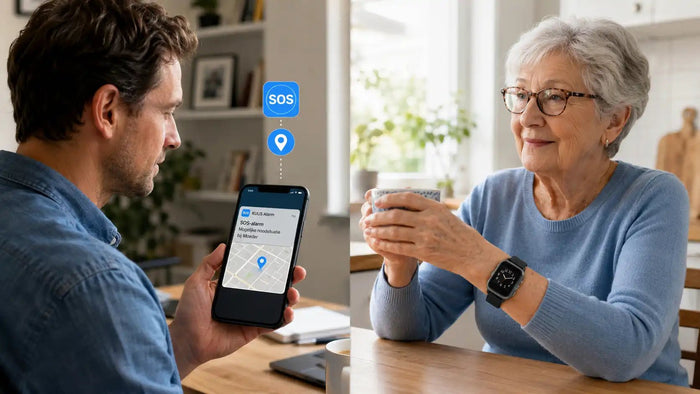
- You do not want to watch anything; you want help in an emergency. For an older person living alone, an alarm button or an alarm watch is more practical than a camera. Someone who has fallen needs help, not a recording.
Frequently asked questions
Do I need a subscription for an indoor security camera?
Not necessarily. The KUUS. BC1 needs no subscription, because it records to the supplied micro SD card. Cloud storage is optional and paid. With some other brands you do need a plan to play footage back, so if you want an indoor security camera with no subscription, check that before you buy.
How far back can I play footage?
That depends on the card and on how much movement there is. With the 32GB card in the BC1 you get about 5 days of playback. Fit a 128GB card and you are heading towards three weeks. The camera overwrites the oldest footage automatically when the card is full.
Does an indoor wifi camera work without internet?
An indoor wifi camera needs internet to send video to your phone and to send alerts. If your internet drops, recording to the SD card carries on in most cases, but you cannot watch live at that moment.
Is 2K enough, or should I get 4K?
For indoors, 2K is enough in almost every case. Distances in a home are short, so faces are easy to recognise. 4K mainly pays off over longer distances, and it costs more storage and more bandwidth.
Can I put up a camera if I have a cleaner?
Yes, but you have to tell them. You are expected to say that there are cameras and where they are. Recording someone who works for you in secret is not allowed.
Can I switch the camera off when I am home?
Yes. In the app you switch the camera or the alerts off whenever you want. With a camera that turns, you can also point the lens at the wall or the ceiling, so everyone can see it is recording nothing.
Where is the best place to put an indoor cctv camera?
Point it at the place where someone comes in, usually the hall or the room by the front door. Put it at about 1.5 to 2 metres high, with the window behind you rather than in shot. That keeps backlight out of the picture.
Can I run several cameras in one app?
Yes. In the KUUS PRO app you link several cameras to the same account and set per camera when you want alerts.
Final thoughts
Work out what you want the camera for first, and look at specifications after that. For most homes, the combination of 2K, pan-tilt, night vision and reliable person and animal recognition is just right, with no subscription and no fuss. If burglary is your main worry, start with your locks and your lighting and treat a home security camera indoors as a supplement. If you want to know whether the BC1 suits your situation, look at the product page or send us a message. We will say so honestly if a camera is not the right answer in your case.
About the author
Bas Lommen is co-founder of KUUS. Together with his father Eric he selects and tests the cameras, baby monitors and alarm watches that KUUS. sells. He writes the knowledge base articles himself, based on the questions that come in to customer service every day.