SOS Button for Elderly: The Honest Buying Guide
Some images are AI generated
By: Bas | Last updated: 24 June 2026
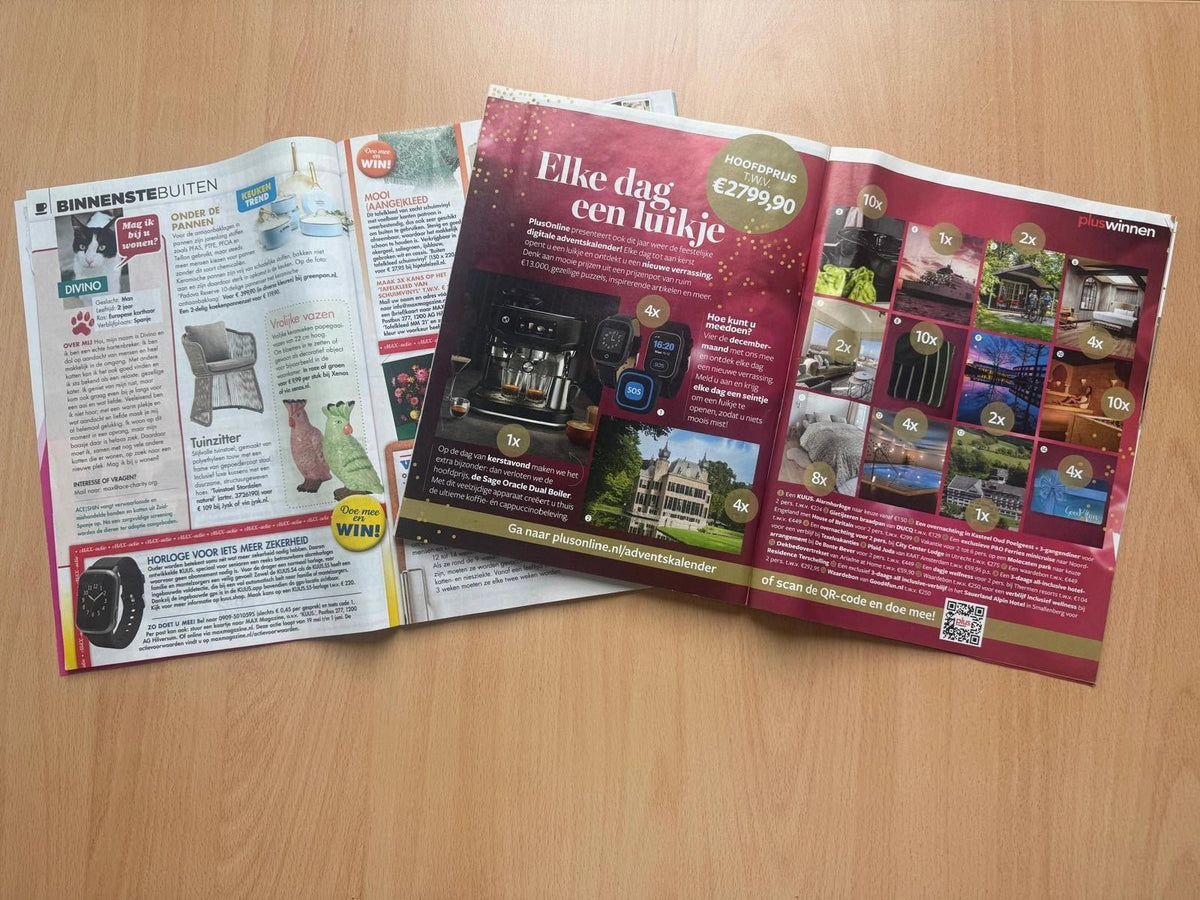
An SOS button for the elderly is a wearable device, usually a wristwatch or bracelet, that lets you call for help straight away with a single press of a button in an emergency. When pressed, the device automatically calls pre-set contacts, usually family, and sends your location along with the call. No smartphone needed, no base station on the wall, no monitoring centre asking follow-up questions first. The KUUS. alarm watches have recently been featured in several magazines as a recommended choice for elderly people who want to keep living independently at home for longer.
We're Eric and Bas, father and son. We started KUUS. after a loved one in our family lay on the kitchen floor for two days before anyone came by. Her phone was on the counter. She couldn't reach it. We're not telling this story to make an impression. We're telling it so you understand why this guide isn't a sales brochure.
Contents
- What is an SOS button for the elderly?
- How does an SOS button work?
- At home or also out and about?
- In the press
- What should you look out for when choosing?
- SOS button or SOS watch: what's the difference?
- When an SOS button isn't the right choice
- What does it really cost?
- Frequently asked questions
What is an SOS button for the elderly?
An SOS button, also called a panic button or emergency button for the elderly, is a wearable alarm system with one clear purpose: getting help when you can no longer do it yourself with an ordinary phone. You press the button, the device calls. That's it.
The term covers several forms. A classic SOS button is a small push button on a necklace or wristband, with no screen and no extra features. An SOS watch does the same thing but looks like a normal wristwatch and also has GPS, fall detection and a built-in microphone. Both fall under the same umbrella: personal alarms for the elderly.
In healthcare this is called personal alarm monitoring or mobile personal alarms. But people searching for one almost always type "sos button elderly", "panic button for elderly" or "sos watch for seniors". That's what it is in practice, too.
How does an SOS button work?
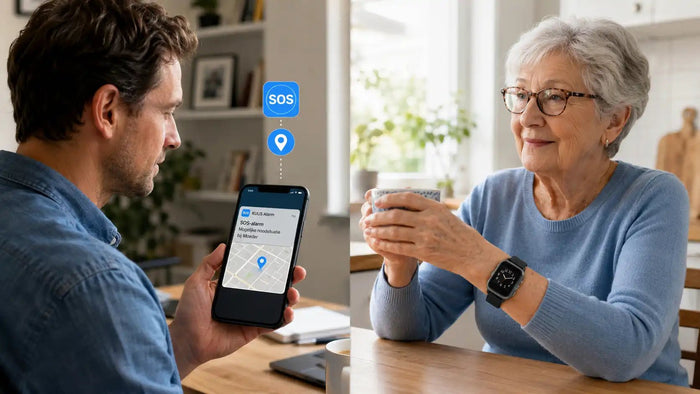
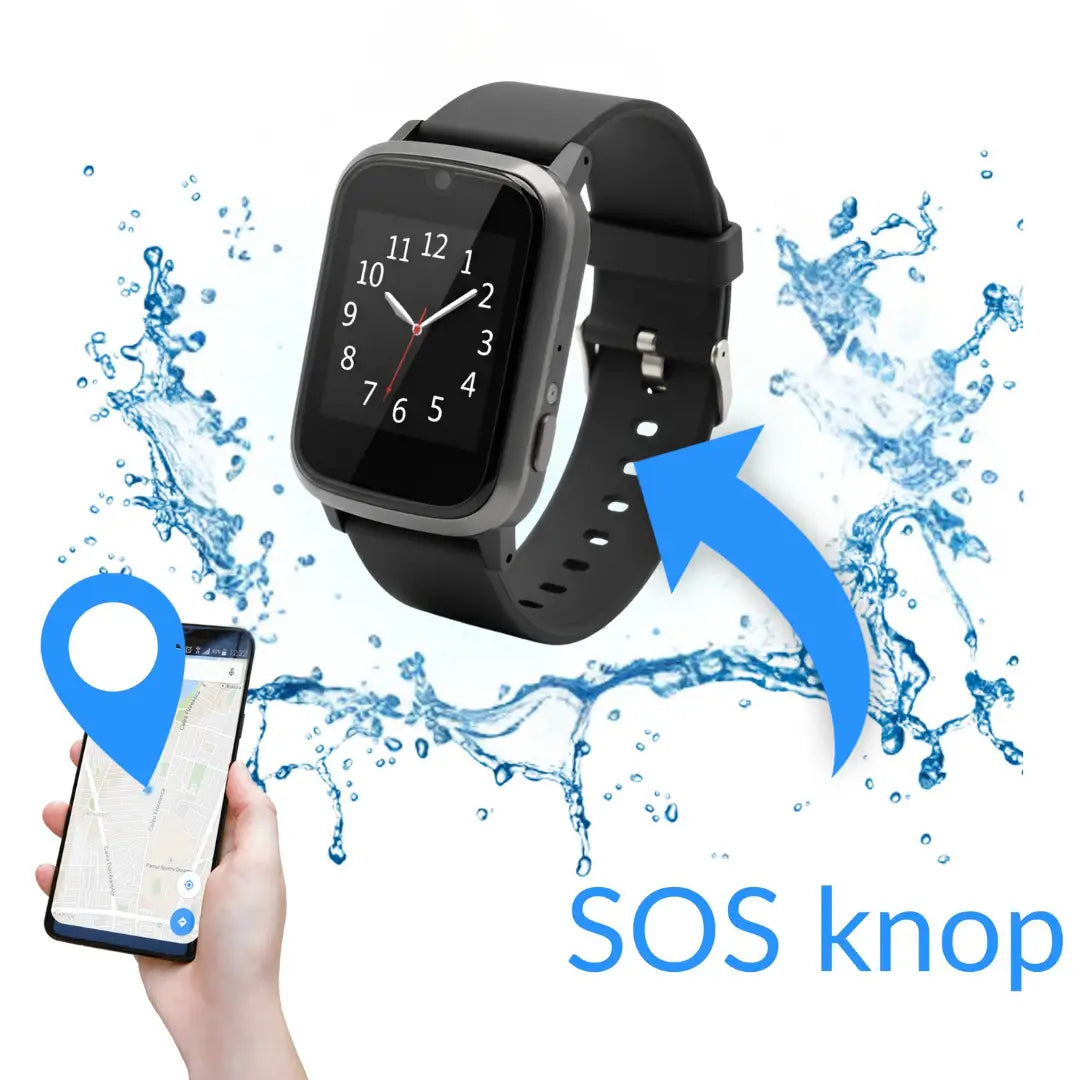
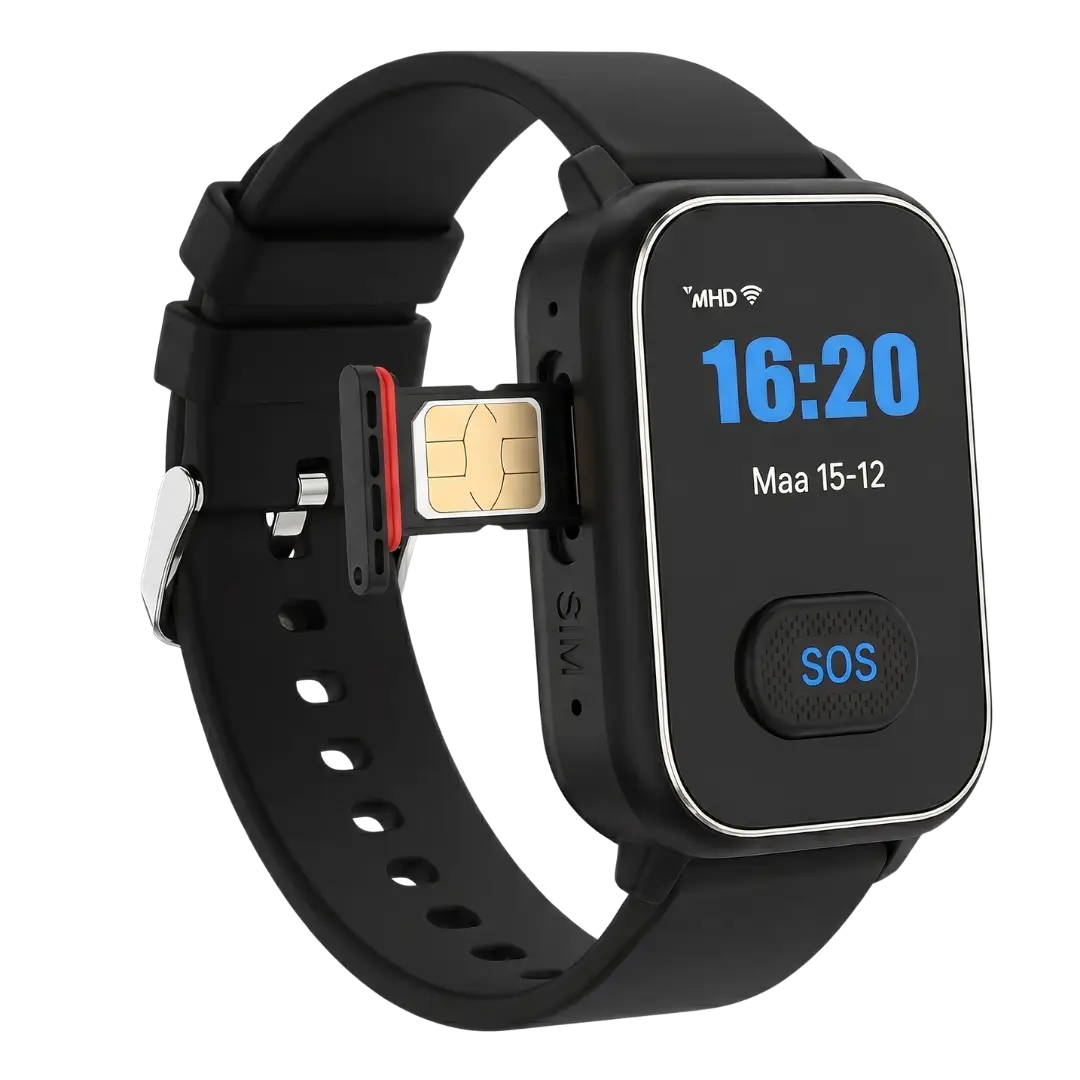
Most SOS buttons for the elderly work the same way. There's a SIM card inside, just like in a mobile phone. You don't use that connection to make calls yourself – the device uses it to call out as soon as you press the button.
What happens exactly after you press the button:
- The device gives an audible signal, so the wearer knows the alarm has been triggered.
- It calls the first contact number on the list. If there's no answer, it immediately calls the second, then the third.
- Through the built-in microphone and speaker, the wearer and the person called can talk to each other.
- The app on the family member's phone shows the wearer's location on a map.
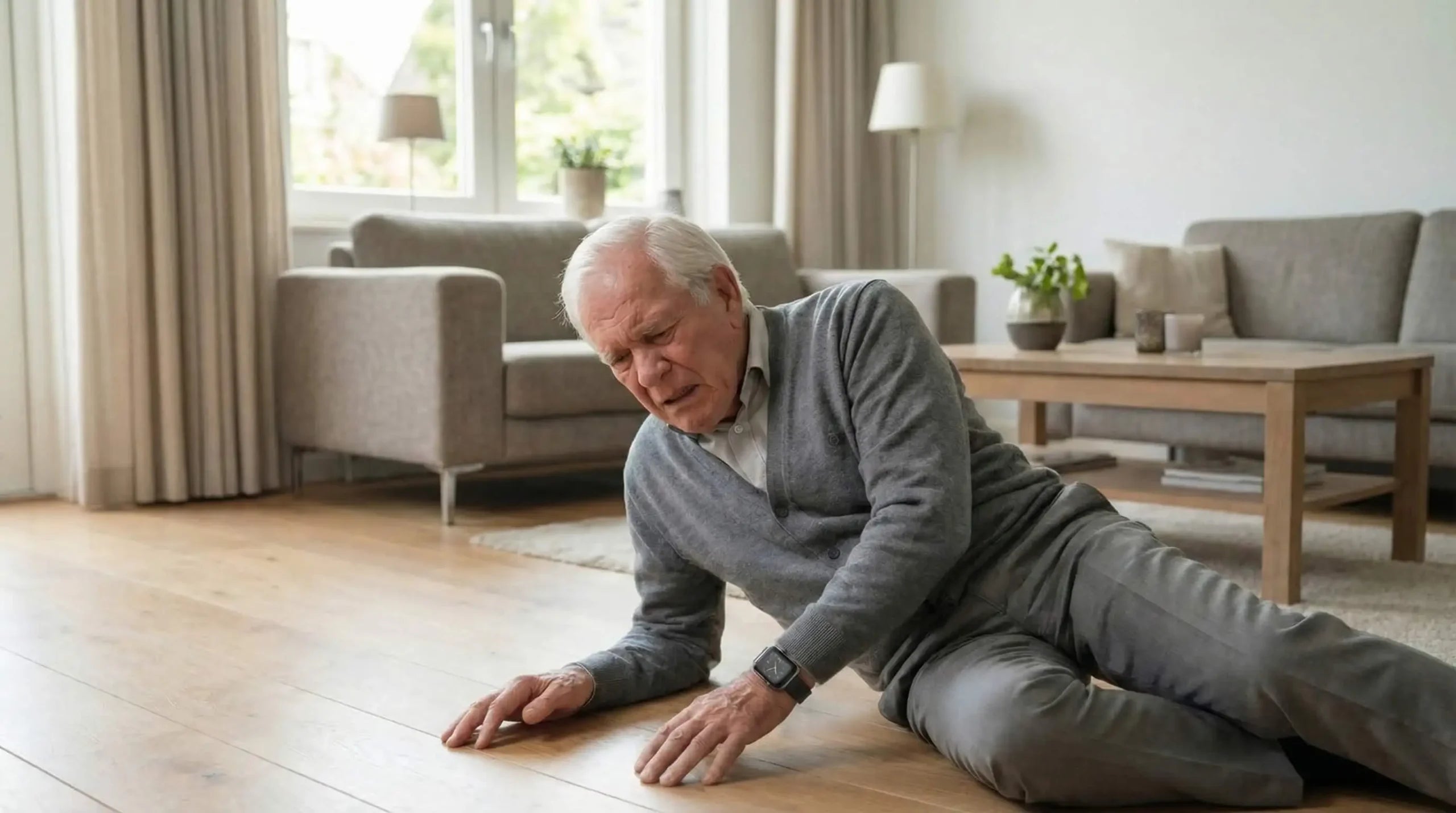
With an SOS watch that has fall detection, the alarm also goes off automatically if the watch detects a fall – even if the wearer is no longer able to press the button themselves. After a detected fall, the device usually counts down 30 seconds. If the alarm isn't switched off manually, it calls automatically.
At home or also out and about?
This is where the first big difference between the available products lies.
Fixed SOS button for home use. An alarm button that connects via a base station plugged into the wall socket. Works well within a range of a few dozen metres of the base station. As soon as your father or mother steps outside, it stops working. No GPS. No coverage outside the home.
Portable SOS button with a SIM card. Works anywhere there's mobile signal: at home, in the garden, on the street, in hospital, on holiday. The wearer doesn't need a smartphone. The device itself has the SIM card and calls independently.
For elderly people who still shop, go for walks or visit others regularly, a fixed solution is too limited. A significant proportion of falls among older people happen outside the home. An alarm that only works indoors doesn't solve that.
An SOS watch for the elderly is a portable solution. Read more in the full comparison of alarm watches for seniors, including the models we offer.
In the press
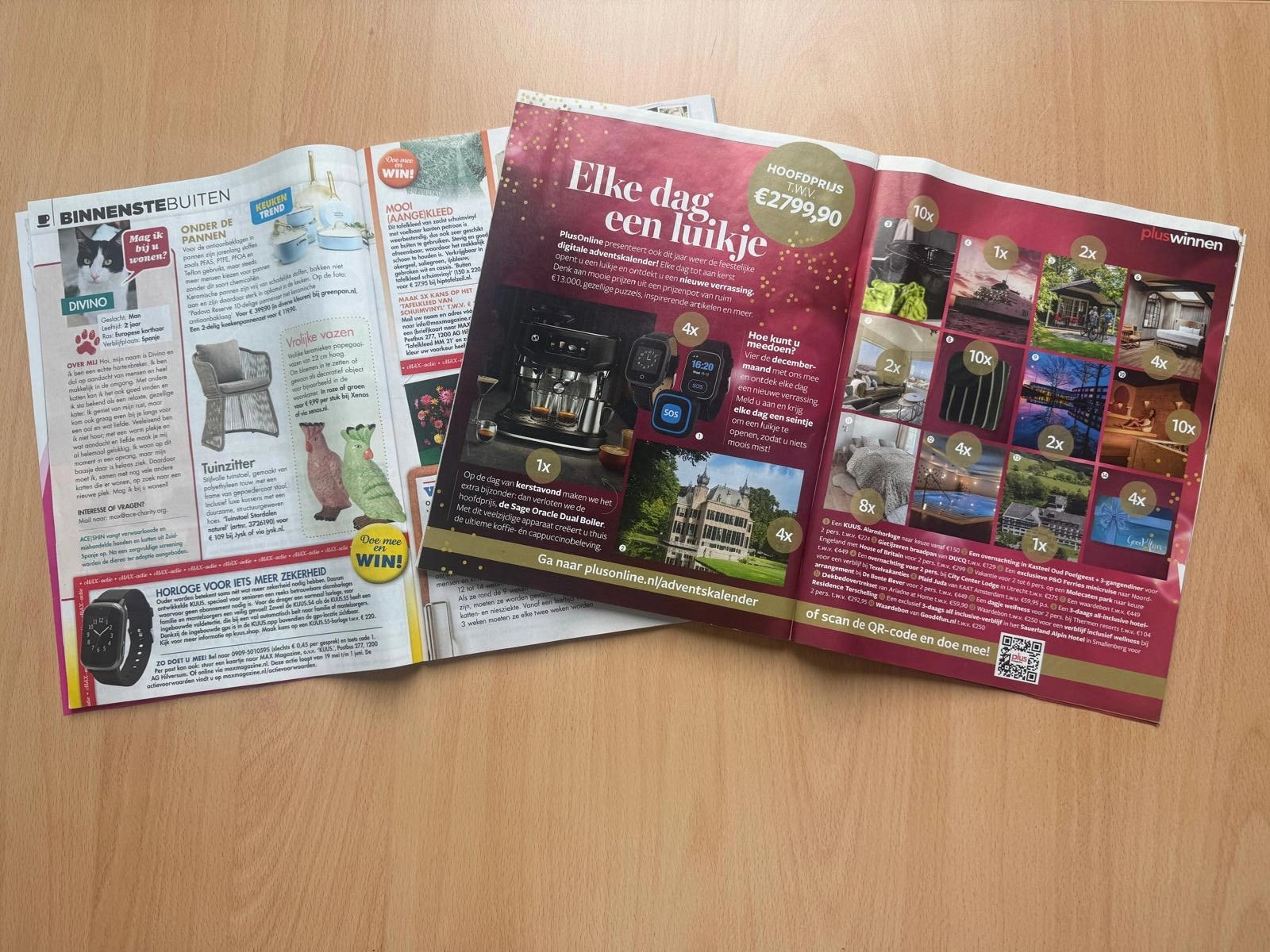
The KUUS. S5 alarm watch has been featured in several magazines aimed at the over-50s and their families. Not the most obvious place for a piece of technology, but valuable for exactly that reason: these publications write for people who aren't waiting for a gadget, but for something that works.
What stands out about these features: the editors didn't pick the product with the most functions, but the one that's actually worn the most. An SOS button only helps if it's on your wrist. In a drawer, it's an expense, not safety.
That's also the core idea behind our design. A panic button for the elderly that looks medical doesn't get worn. Older people don't want to broadcast all day that they need help. Anyone who doubts that has never tried putting an alarm pendant around their father's neck. The KUUS. watch looks like an ordinary smartwatch. That's not a coincidence – it's a choice that decides whether the thing ends up on a wrist or in a drawer.
What should you look out for when choosing?
Seven points, in order of importance.
- What does it look like? This comes first, not seventh. If your parent doesn't want to wear it, no other specification matters. An SOS watch that looks like a normal smartwatch always wins here over a medical-looking plastic device on a chain.
- Does it work on its own? No need to pair it with the wearer's smartphone. The device has its own SIM card and calls independently. If it depends on your parent's phone, it's only as reliable as that phone.
- Does it have GPS? Not very relevant indoors, crucial outdoors. Especially with early memory problems, or if your parent still gets around independently.
- Does it have fall detection? Useful for frail elderly people. Note that fall detection isn't perfect. A hard knock or sitting down heavily can trigger a false alarm. Good manufacturers calibrate this carefully, but it can't be ruled out completely.
- Is it waterproof? IP67 or higher is a good minimum. Anyone who takes the watch off to shower often forgets to put it back on. Being waterproof keeps it on the wrist.
- How long does the battery last? Two to five days is normal. Charging it daily is a hurdle for many elderly people. Once a week is manageable.
- Who gets called: family or a monitoring centre? With direct family, the alarm reaches the people who care most about you faster. With a monitoring centre, there's a call intake of 30 to 90 seconds in between, and it comes with ongoing subscription costs.
SOS button or SOS watch: what's the difference?
Both do the same thing at the moment it counts: get help. The difference is in how they look and what else they can do besides raising the alarm.
| Feature | Standalone SOS button | SOS watch |
|---|---|---|
| Appearance | Medical-looking device, necklace or wristband | Normal smartwatch |
| GPS location | Sometimes, not always | Almost always |
| Fall detection | Rarely | Available on most models |
| Works outdoors | Depends on model (fixed or mobile) | Yes, anywhere with mobile signal |
| Voice contact via the device | Not always | Yes, built-in microphone and speaker |
| Likelihood of being worn | Lower (medical appearance) | Higher (looks like a watch) |
For elderly people who are still active outdoors, an SOS watch is nearly always the better choice. A standalone SOS button is suitable if your parent rarely goes outside and doesn't mind the medical appearance.
When an SOS button for the elderly isn't the right choice
You won't find this on most product pages. We're putting it here anyway.
- If someone healthy is always at home. Your mother lives with your father, they're both reasonably mobile and always there for each other. An SOS button then solves a problem that doesn't exist.
- With advanced dementia. Anyone who regularly takes the device off, loses it, or finds it strange won't wear it reliably. At that point, home care, a GPS tracker in a shoe, or a move to a care home is probably more suitable. A GP or local support service can give an overview of home care and support options for anyone weighing up the wider picture.
- If your parent refuses on principle to wear technology on their body. That's a battle you'll lose more often than you'll win. Better to have a different conversation about safety at home.
- If you want round-the-clock professional monitoring. KUUS. calls family, not a monitoring centre. If you need conscious professional follow-up at any hour of the day, a monitoring centre service is the better choice. We're upfront about that.
Better an honest no than a purchase you regret.
What does it really cost?
A one-off purchase price doesn't tell you much. The real costs lie in how long you use it. Budget for an average usage period of five to ten years for an elderly person who's still living independently.
| Type | One-off | Monthly | Total over 5 years | Total over 10 years |
|---|---|---|---|---|
| Fixed home alarm button with monitoring centre | €50 set-up cost | €30 | €1,850 | €3,650 |
| SOS watch with subscription | €100–€200 | €25–€35 | €1,700–€2,300 | €3,200–€4,400 |
| SOS watch with no subscription, own SIM card | €150–€300 | €5–€10 | €450–€900 | €750–€1,500 |
Amounts are indicative. They depend on the provider and the SIM card you choose. Not every provider will still be around in ten years.
A subscription of €30 a month adds up to €1,800 over five years. That's money your parent could spend on something else instead. Safety for your father or mother doesn't need to be a subscription product. An SOS watch with no subscription exists, and it works. The only real monthly cost is a prepaid SIM card.
Frequently asked questions
Answers to the questions we get asked most often. Don't see yours here? Click the photo of Hans in the bottom right and he'll help you further.
What's the difference between an SOS button and a panic button for the elderly?
No difference in function. Both terms describe the same thing: a wearable device that automatically calls for help when pressed. "Panic button for elderly" and "sos button for elderly" are used interchangeably by manufacturers and people searching. The distinction is in the form: a button is a standalone device, an SOS watch combines the button function with a wristwatch.
Does an SOS button always need a subscription?
No. Models that call family directly via their own SIM card don't need an ongoing subscription. You choose your own prepaid SIM card and only pay for that, from around €5 a month. Models with a monitoring centre do need a subscription for the monitoring service.
Can my mother use an SOS button without a smartphone?
Yes. The wearer doesn't need their own smartphone. The device has its own SIM card and calls independently. As a family member, you need a smartphone for the accompanying app to receive location and alerts.
Does an SOS button also work outdoors?
That depends on the type. A fixed alarm button via a base station only works indoors. A portable SOS button or SOS watch with its own SIM card works anywhere there's mobile signal: in the garden, on the street, at the shops.
Is an SOS watch suitable for someone with arthritis or shaky hands?
Look at the size and position of the SOS button. A physical button that needs to be held down for a few seconds is usually easier for elderly people to use than a touchscreen. If in doubt, ask for a demo or a return policy so your parent can try it at home.
What if my parent presses the SOS button by accident?
A good device requires you to hold the button down for a few seconds – a brief touch does nothing. A false alarm gives a countdown of around 30 seconds during which the alarm can be switched off manually. The cost of a false alarm is a surprising phone call. The cost of a missed alarm can be far greater.
When is it no longer safe for an elderly person to live independently?
An SOS button or alarm watch is an aid, not a replacement for care. If your parent falls several times a week, can no longer look after themselves, or shows serious cognitive decline, a conversation with the GP about suitable care is more useful than a piece of technology. A watch doesn't solve that.
In conclusion
An SOS button for the elderly isn't a complicated product. It calls when it's pressed. The question that really matters is whether it's worn when it's needed.
That's why publications don't choose based on the most features, but on what elderly people actually wear in practice. A normal watch on the wrist, not a medical box in a drawer.
Want to know which KUUS. model suits your father or mother? Take a look at the S4 and S5 alarm watches, both with no subscription, both with an SOS button, fall detection and GPS. They're not gadgets. They're watches with a safety net underneath.
About the author
Bas Lommen is co-founder of KUUS. Together with his father Eric, he started the company after a family incident in which a loved one lay on the kitchen floor for two days before help arrived. Read more about the company on the about us page.