Personal alarm watch for the elderly 2026: an honest guide

Some images are AI generated
By: Bas | Last updated: 2 June 2026
Which personal alarm suits your situation?
The right personal alarm for an elderly parent is the one they actually keep on their wrist. That sounds obvious, but it is the heart of the matter: an SOS button in a drawer helps nobody. A good alarm watch for elderly people looks like an ordinary smartwatch, runs on its own SIM card without a smartphone, has a physical SOS button, fall detection and GPS, and calls family directly when the alarm goes off. For most seniors still living independently, a fall detection watch with no monthly subscription is the right choice. In this guide we compare the four KUUS models, explain the difference with a regular smartwatch, and work out the real cost over five to ten years.
Short background. We are Eric and Bas, father and son. We started KUUS. after Eric's mother-in-law spent two days on the kitchen floor. Her phone was on the worktop and she could not reach it. That is why we wrote this guide not as advertising, but as the explanation we would have wanted to read ourselves before we entered this market.
Contents
- Which personal alarm suits your situation?
- Alarm watch or regular smartwatch?
- What to look for when choosing
- The four KUUS models compared
- The KUUS S5 in practice: video review
- With or without a subscription?
- Who gets called: a monitoring centre or family?
- What does it really cost over 5 to 10 years?
- Which model suits your situation?
- When a personal alarm watch is not a good choice
- Frequently asked questions
Which personal alarm suits your situation?
There is no single right personal alarm for the elderly. There is a right choice for your situation. So do not start with the specifications, start with two questions: will it be worn? and what happens when the button is pressed?
Whether it gets worn depends on how it looks. A device that shouts "I am old and dependent" disappears into a drawer. A watch that looks like a normal watch stays on the wrist. Everything hinges on that. A button in a drawer is a bill, not safety.
What happens during an alarm depends on the model. Some watches call a professional monitoring centre, with a rolling monthly subscription. Others call family directly, with no fixed costs. Neither is simply "better"; it depends on who is at home and how far away the family lives.
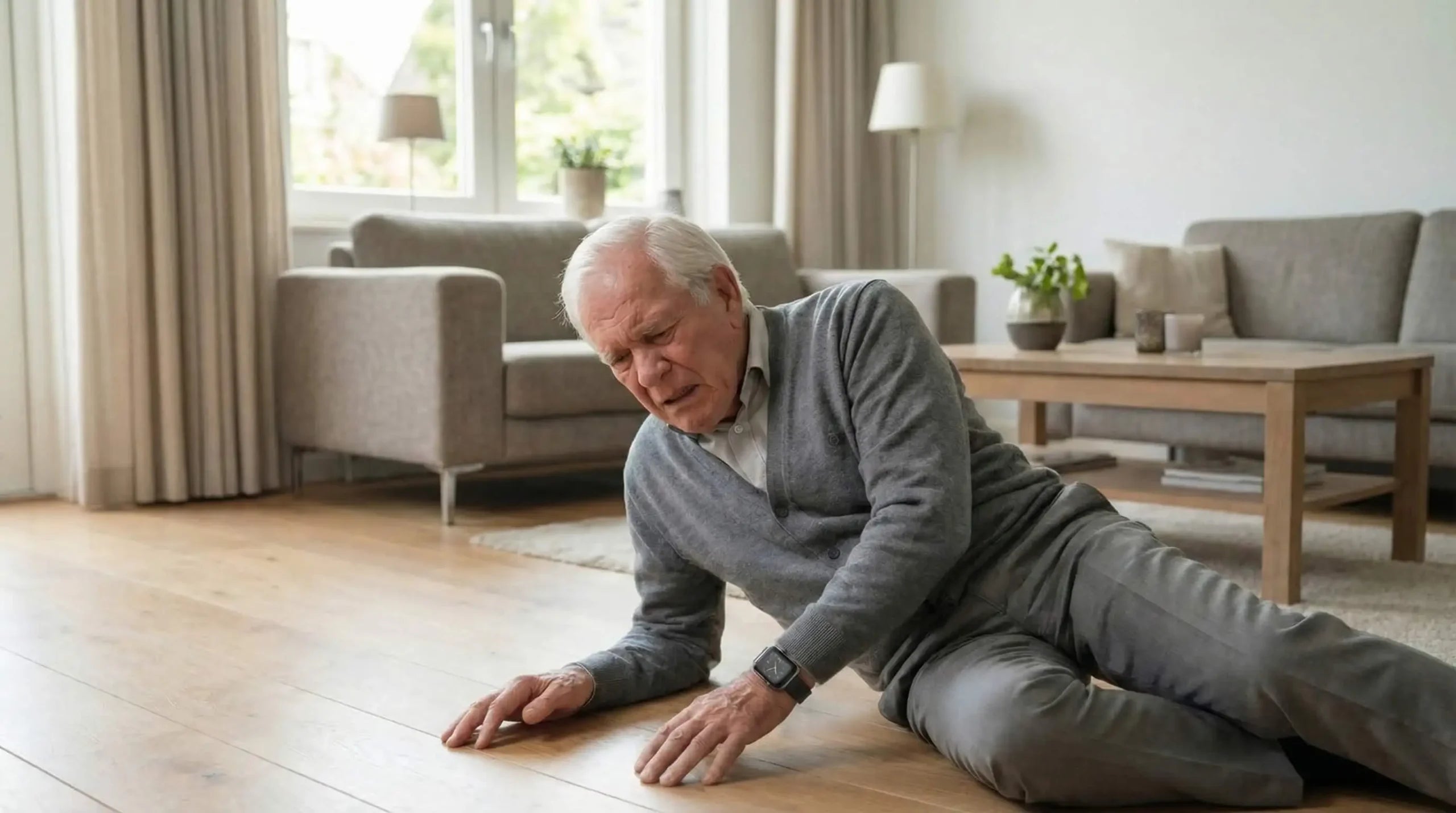
Nobody reading this guide needs to be told that a fall is a real risk. The NHS publishes the figures if you want the context. We will stick to the point: being able to call for help quickly is the difference between a scare and hours on the floor.
Alarm watch or regular smartwatch: what is the difference?
Many families first search for "smartwatch for seniors" and end up with an Apple Watch or a Samsung Galaxy Watch. Understandable, those are good watches. But for an older person still living independently they fall short on three points.
1. They depend on a smartphone
A regular smartwatch works fully only when it is paired with a charged smartphone nearby. For someone who does not use a smartphone, and that is many people over 75, half the functions fall away. A personal alarm watch has its own SIM card and calls out by itself. No phone needed on the wearer's side.
2. The controls are too complicated
Apple and Samsung build for a broad audience that swipes through menus. For someone with shaky hands or early arthritis, a touchscreen is no gift. An alarm watch for elderly people has a physical SOS button you hold for a few seconds. One action, no menu.
3. Fall detection is sometimes included, but not built for this purpose
The Apple Watch and the Samsung Galaxy Watch have fall detection, and it works well enough in itself. But the emergency chain behind it is built around your own contacts through the phone, not around a watch that independently calls a preset list and sends the location with it.
| Feature | Personal alarm watch for seniors | Regular smartwatch (Apple / Samsung) |
|---|---|---|
| Works without a smartphone | Yes, own SIM card | Limited, needs pairing with a phone |
| Controls | Physical SOS button, no menu | Touchscreen, several steps |
| Calls a contact list automatically | Yes | Through the paired phone |
| Battery life | 2 to 5 days | Often 1 day (Apple Watch) |
| Price | €150 to €300 one-off | €250 to €500+ |
So the right smartwatch for seniors is often not a consumer smartwatch at all, but an alarm watch that looks like one. Modern on the outside, but the technology underneath is built for one thing: getting help when it is needed.
What to look for when choosing
Eight points, in order of importance.
How does the watch look?
The most important point, and the least discussed. A watch that looks like an ordinary watch gets worn. A medical looking box disappears into a drawer. Form decides whether it works.
Does it work without a smartphone?
An SOS watch for elderly people that only works through a paired phone depends on a charged device being nearby. Unreliable. Choose a model with its own SIM card.
Does it have a physical SOS button?
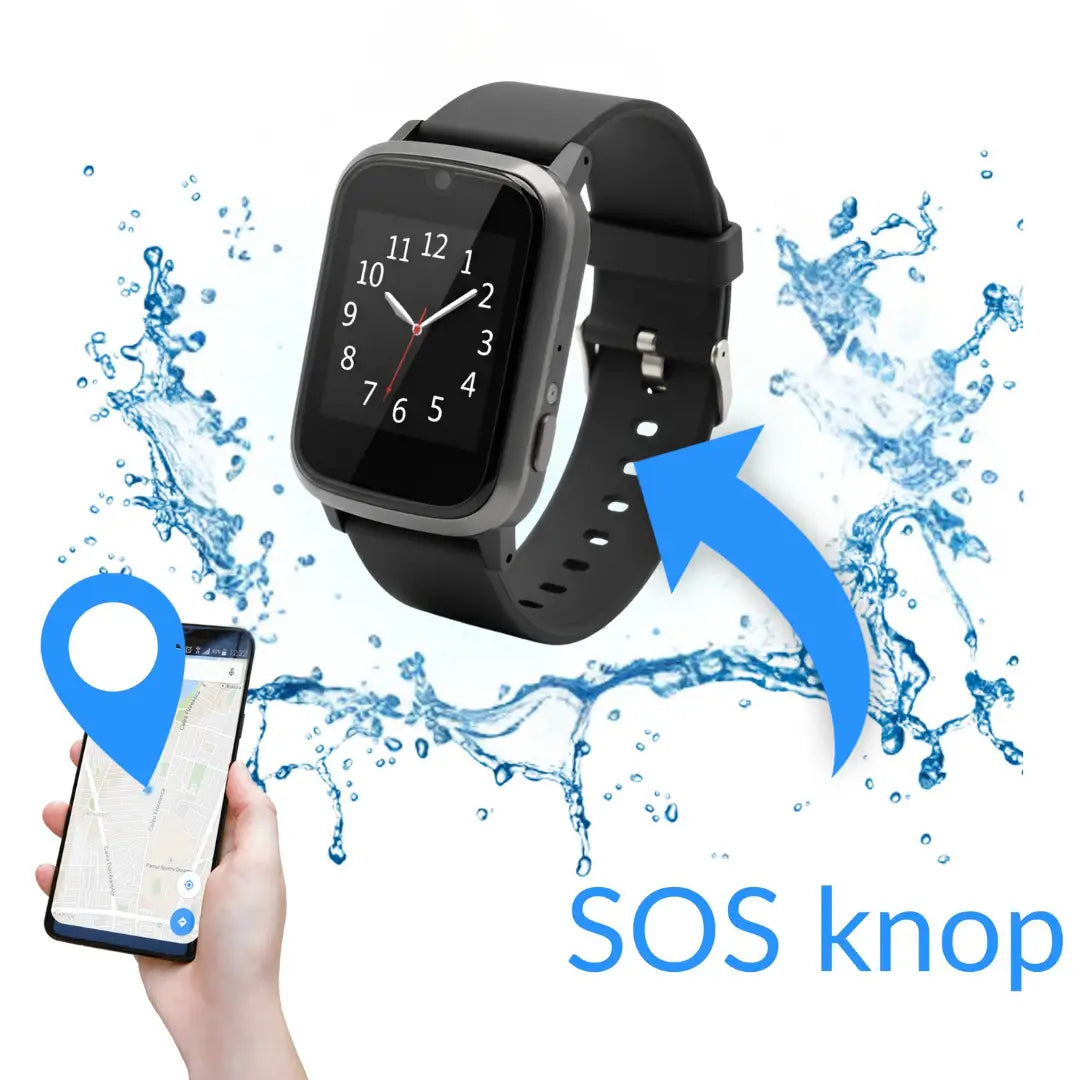
A real button, usually on the side, that you hold for a few seconds. A short press does nothing, so your father does not call by accident when he brushes past a table edge.
Does it have fall detection?
Motion sensors recognise the pattern of a fall: a sudden acceleration followed by an abrupt stop. A fall detection watch is most useful when your parent cannot reach the button themselves after a fall.
Does it have GPS?
Not crucial indoors, but it matters outdoors. GPS is important if your parent gets lost, with early dementia, or on a walk that goes wrong. Some watches offer geofencing: an alert as soon as the wearer leaves a set zone.
Is it shower proof or waterproof?
Someone who takes their watch off to shower also forgets to put it back on. Check the IP rating: IP67 or higher is a good minimum.
How long does the battery last?
Two to five days is normal for senior alarm watches. Charging once a week is realistic; daily charging gets forgotten fast.
Is there a subscription?
Work out the total cost over five to ten years before you choose. More on that below. The difference is bigger than you think.
The four KUUS models compared
KUUS has four models. Four watches (S2, S4, S4 Plus, S5), where the S4 Plus is worn on a neck chain instead of on the wrist. All four work without a rolling subscription at KUUS: you choose your own SIM card. Prices below are indicative, check the product page for the current price and stock.
| Model | Form | Main features | Who it suits | Price (indicative) |
|---|---|---|---|---|
| KUUS S2 | Watch (4G) | SOS, fall detection, GPS, medication reminder, heart rate | The most complete model | €219 |
| KUUS S5 | Watch (4G), slimmer | SOS, fall detection, GPS, geofence, medication reminder | Narrower wrist, modern look | €219 |
| KUUS S4 | Watch (4G), simple | Double SOS button, fall detection, GPS | For those who want as few buttons as possible | €199 |
| KUUS S4 Plus | Watch on a neck chain (4G) | Double SOS button, fall detection, GPS, medication reminder | For those who will not wear a watch on the wrist | €209.99 |
All KUUS orders come with 30 days to change your mind and 2 years premium warranty. View the full alarm watch category if you want to see the models side by side.
The KUUS S5 in practice: video review
Specifications on paper say little. So we took a long look at the KUUS S5, our most worn alarm watch, on camera: what is in the box, how it sits on the wrist, and how the functions work in real life.
In the video we show the main functions: the SOS button, the GPS location, setting a geofence, the fall detection and the medication reminders. The big advantage of the S5 is that it works independently through a SIM card. The wearer does not need to carry a mobile phone to use the watch.
We are also honest about a few things to watch out for:
- Set the watch up together, do not leave your father or mother alone with the manual.
- Test every function in advance, so you know what happens before it matters.
- Use the app for full functionality; that is where you set the contacts, the geofence and the alerts.
Want to see the specifications and the price? View the KUUS S5 product page.
With or without a subscription?
The question every family asks at some point: do you really need a subscription?
A personal alarm for the elderly with no subscription does exist. You buy the watch once, choose your own prepaid SIM card (from about €1 per month for data, plus call costs from around €0.09 per minute) or a cheap mobile plan, and the watch is operational. No contract with the manufacturer, no monitoring centre, no fixed costs running on.
With the subscription model everything comes bundled: SIM card, data connection, monitoring centre, app. Convenient, but you quickly pay €20 to €35 per month, for as long as the wearer lives. Over a use period of five to ten years that is €1,200 to €4,200. For a button. For a service that in 95% of cases is never triggered.
That is not a scam. Monitoring centres do real work. But it is an insurance model sold as care. In our view, safety for your father or mother should not be a subscription product.
Who gets called: a monitoring centre or family?
This is the biggest difference between providers. Two models.
Model 1: monitoring centre. On alarm the watch calls a professional monitoring centre. An operator asks what is going on, looks up the address and calls the right emergency service. This is the traditional model, and it sits behind a rolling monthly subscription as standard.
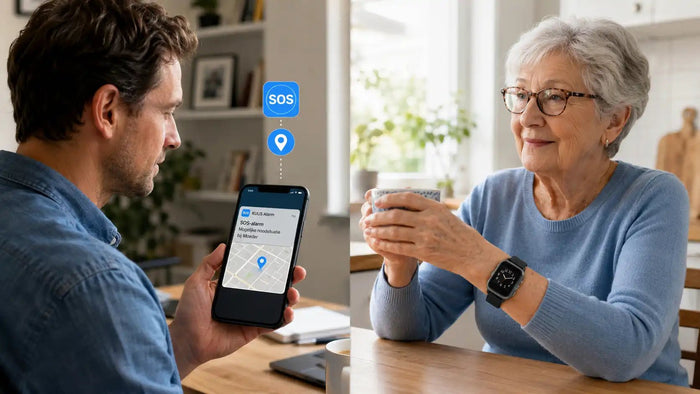
Model 2: family directly. The watch calls the preset contacts directly, usually you, a brother or sister, a neighbour. Whoever answers first has the wearer on the line and can act. No middle step, no subscription. This is how KUUS works.
With a monitoring centre system there is roughly 30 to 90 seconds of intake between the alarm and any action. Calling family directly removes that. For most situations it is faster and more human.
Honest the other way round too: if the whole family lives far away or is unreachable during the day, a monitoring centre is a good addition. Then professional follow-up is worth paying for. We are here for the majority, not for every case.
What does it really cost over 5 to 10 years?
Get a calculator out. Three scenarios for a 75-year-old who will live independently for another five to ten years.
| Scenario | One-off | Per month | Total 5 years | Total 10 years |
|---|---|---|---|---|
| Traditional alarm system with monitoring centre | ~€50 setup | €30 | €1,850 | €3,650 |
| Alarm watch with subscription | €100-€200 | €20-€35 | €1,300-€2,300 | €2,500-€4,400 |
| KUUS watch without subscription (own SIM card) | €150-€220 | €1-€10 SIM card | €210-€820 | €270-€1,420 |
Amounts are indicative and depend on the provider and the SIM card you choose. Not every provider will still exist in ten years, and you can end up tied to a supplier that goes under.
So the subscription difference is not twenty euros a month, it is thousands of euros over the years of use. That is money your parent can use themselves: for care later, or for a good holiday while they still can.
Which model suits your situation?
A short decision guide based on what we hear most often.
- You want everything on board (fall detection, GPS, medication reminder, heart rate): the KUUS S2.
- Narrower wrist or a more modern look matters: the KUUS S5, the slimmer sibling of the S2.
- As few buttons and as little fuss as possible: the KUUS S4 with a simple, double SOS button.
- Not willing to wear a watch on the wrist: the KUUS S4 Plus on a neck chain.
Not sure? Click the photo of Hans at the bottom right and he will think it through with you.
When a personal alarm watch is not a good choice
You will not read this often on a product page, but it belongs here. An alarm watch is not always the right answer.
- When someone is always home and in good health. Two partners who are both still steady on their feet and both at home if something happens to the other: then an alarm watch solves a problem that is not there.
- With advanced dementia. Someone who often takes the watch off, loses it or finds it strange will not wear it reliably. At that stage a different solution fits better.
- When there is a principled objection to technology on the body. Every purchase then becomes a matter of persuasion. Better to have a different conversation about safety at home.
- When you want 24/7 professional follow-up. We call family. For heavier medical monitoring, a monitoring centre service is more suitable.
An honest no beats a purchase you regret.
Frequently asked questions
Answers to the questions we get most often.
Which personal alarm suits your situation?
The right alarm is the one your parent actually wears. Start with two questions: does it look like a normal watch, and what happens during an alarm (family or monitoring centre)? For most seniors living independently, an alarm watch with fall detection, GPS and no subscription is a good starting point. At KUUS that is the S2 or the S5.
Which smartwatch suits seniors?
For older people a regular consumer smartwatch (Apple Watch, Samsung) is often too complicated and too dependent on a smartphone. A senior alarm watch that looks like a smartwatch combines the modern look with simple operation and its own SIM card. For most seniors that is the better "smartwatch".
Does an alarm watch work without a smartphone?
Yes, as long as the watch has its own SIM card. That is the case with every KUUS watch. So the wearer does not need their own phone. You as a family member do need a smartphone for the companion app.
How does fall detection on a watch work?
Motion sensors recognise the pattern of a fall: a sudden acceleration followed by an abrupt stop. After a detected fall the watch counts down a number of seconds (often 30). If the alarm is not cancelled manually, the watch automatically calls the first contact. Fall detection is not 100% foolproof: a heavy thud can trigger a false alarm.
What does a personal alarm watch for the elderly cost?
At KUUS between roughly €150 and €220 as a one-off purchase, depending on the model. On top of that there is no compulsory subscription: you choose your own prepaid SIM card from about €1 per month for data.
Is an alarm watch waterproof?
Most models are at least shower proof. Fully waterproof (swimming, submersion) differs per brand. Check the IP rating in the specifications: IP67 or higher is a good minimum.
Do you need a subscription for an alarm watch?
No. At KUUS you choose your own prepaid SIM card, with no rolling subscription. Models that do have a subscription include a monitoring centre service. The choice depends on who should be called during an alarm: family or a professional monitoring centre.
Finally
The personal alarm for the elderly is not a medical device and not a replacement for good care. It is a wristwatch with a safety net underneath. To your parent it is a watch. To you it is the certainty that a fall or a dizzy spell does not end in hours or days on a kitchen floor.
Our mother-in-law lay there for two days. We started this company so that it does not happen to another family. The watch is a means, not an end.
Want to know which KUUS. model suits your father or mother? View the S2, S4, S4 Plus and S5 alarm watches. All four without a compulsory subscription, with an SOS button and GPS.
About the author
Bas Lommen is co-founder of KUUS. Together with his father Eric he started the company after a family incident in which a loved one lay on the kitchen floor for two days before help arrived. More about the company on the about us page.