Personal alarm for elderly: the honest guide

Some images are AI generated
By: Bas | Last updated: 2 June 2026
In this article
- What is a personal alarm for elderly people?
- Who is a panic button for elderly people meant for?
- What types of personal alarm are there?
- Fixed or mobile: which works where?
- How does it work?
- Buying or applying for a personal alarm
- Costs and funding
- Monitoring centre or straight to family?
- Which one suits your situation?
- Frequently asked questions
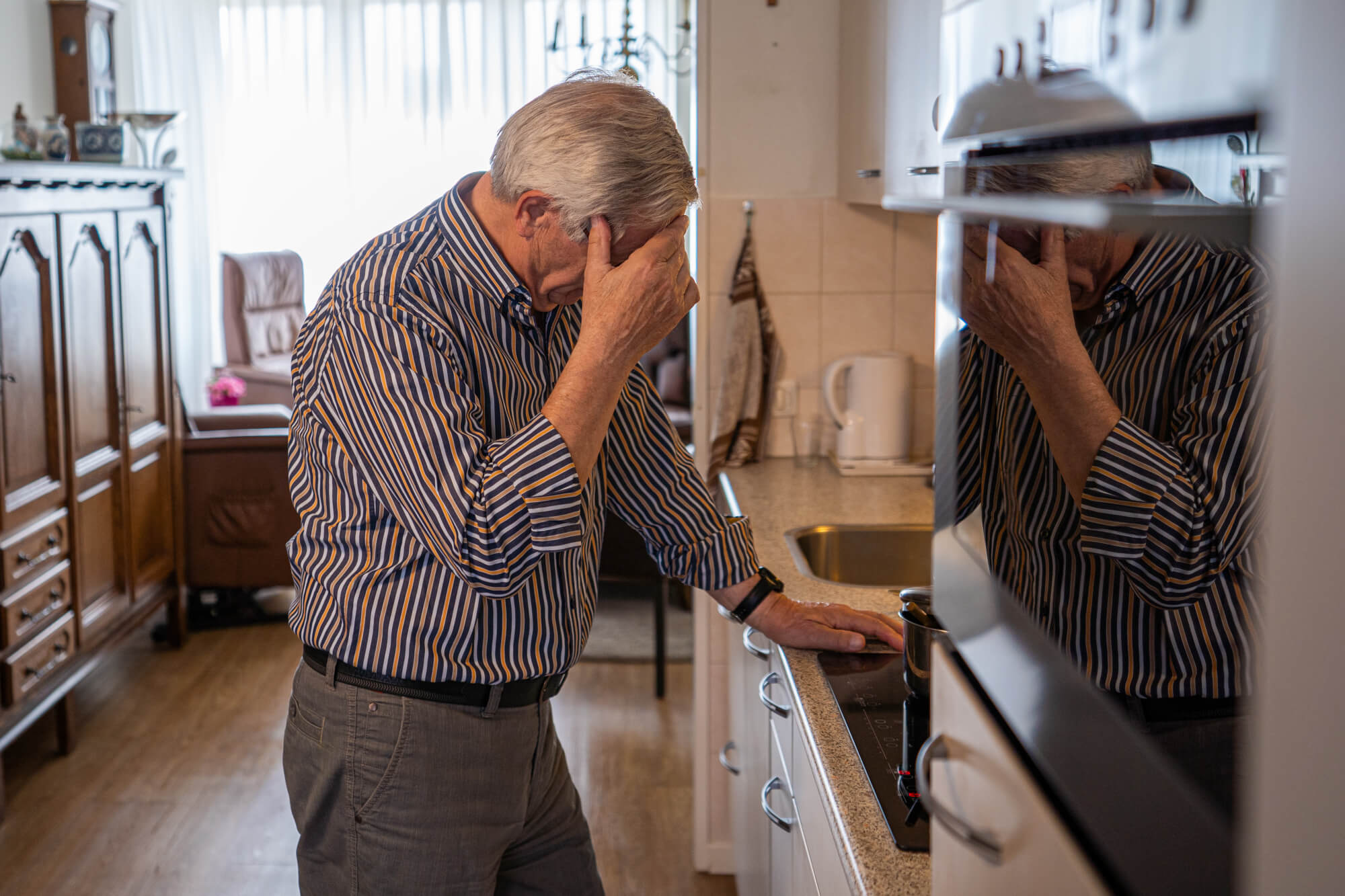
A personal alarm for elderly people, also called a panic button or personal emergency alarm, is a wearable system that calls for help in an emergency. Think of a fall, a moment of feeling unwell, or an unsafe feeling away from home. It is meant for people who still live independently, but who run the risk of not being able to reach a phone themselves at some point. That is exactly the moment where things go wrong: the phone is in the other room and your parent is on the floor.
A little background. We are Eric and Bas, father and son, and we started KUUS. after Eric's mother-in-law lay on the kitchen floor for two days. When we then looked at what was available, we were shocked: bulky devices, fixed base stations and subscriptions of €25 to €35 a month that keep running for as long as your parent lives. That did not sit right with us.
What is a personal alarm for elderly people?
A personal alarm for elderly people, also called a panic button or personal emergency alarm, is a wearable system that calls for help in an emergency. Think of a fall, a moment of feeling unwell, or an unsafe feeling away from home. It is meant for people who still live independently, but who run the risk of not being able to reach a phone themselves at some point. That is exactly the moment where things go wrong: the phone is in the other room and your parent is on the floor.
Who is a panic button for elderly people meant for?
Not everyone needs one, and we would rather say that honestly. A personal alarm is mainly worth it if one of these situations applies:
- Living alone and not certain that someone will come by quickly after a fall or a moment of feeling unwell.
- Increased risk of falling: unsteady on their feet, troubled by dizziness, or already fallen once.
- Early-stage dementia: a risk of getting lost, where GPS and a safe zone help.
- Recovery after an operation or a hospital stay, as temporary reassurance during the first months back at home.
Does your parent live with a healthy partner who is almost always around? Then a personal alarm solves a problem that is not there yet. Better an honest no than a purchase you regret.
What types of personal alarm are there?
Roughly three forms, plus the difference between fixed and mobile. Have a look at our alarm watches for the elderly, the form that gets worn most.
- Fixed personal alarm. A base station in the house with a separate button (pendant or wristband). Works only indoors, within range of the station.
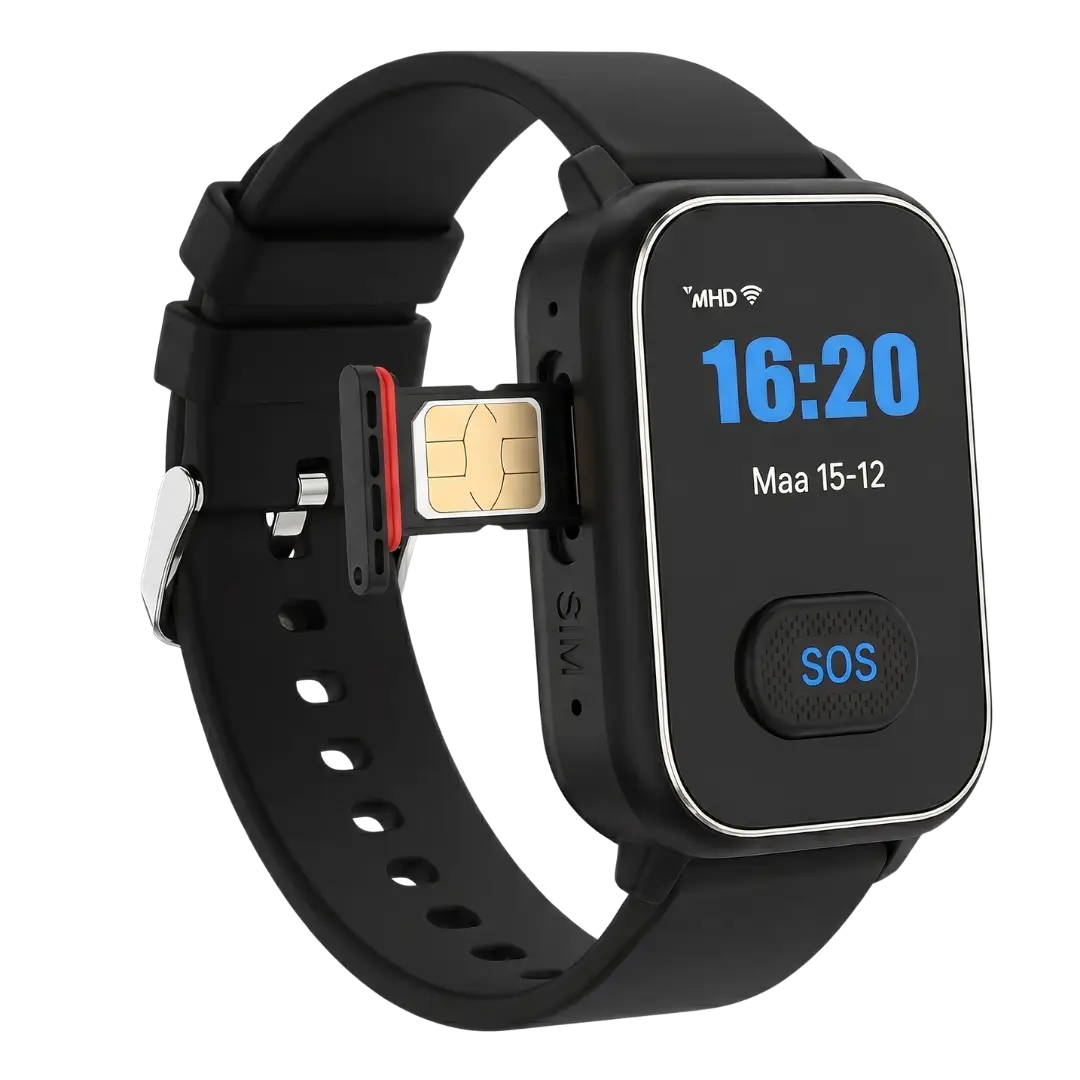
- Mobile personal alarm. The button has its own SIM card and works anywhere: in the garden, in the street, at the supermarket. This is the modern version.
- Alarm watch. A mobile version in the shape of a watch. The big advantage: it looks like an ordinary watch and is therefore worn more often. Read our guide to the alarm watch.
A button that sits in a drawer is a bill, not safety. The form decides whether it gets worn, and whether it gets worn decides whether it works.
Fixed or mobile: which works where?
The most important distinction is fixed versus mobile. A fixed personal alarm hangs off a base station in the house, which connects over the internet or the landline. The button only works within range of that station, so in and around the house. Outside the front door your parent is out of reach. A mobile personal alarm has its own SIM card and works anywhere with 4G coverage: in the garden, at the market, at the GP surgery. No landline or base station needed. For anyone who still goes out, mobile is nearly always the better choice.
How does it work?
When an alarm goes off, this is what happens:
- Your parent presses the button, or the device detects a fall by itself.
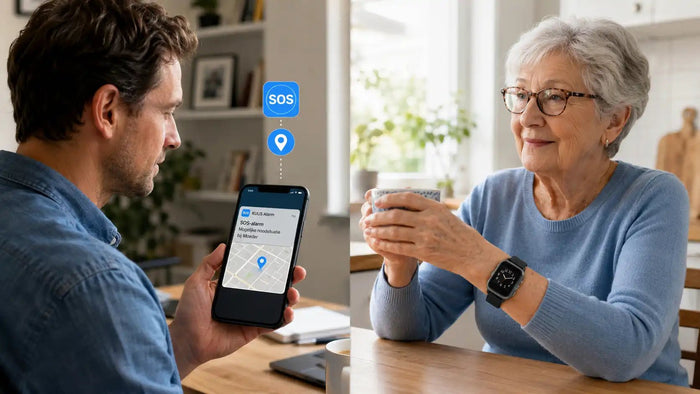
- The system automatically calls a contact person or a monitoring centre, and moves on to the next number if there is no answer.
- Through the built-in speaker your parent can talk straight away.
- On models with GPS the location is sent along and is visible in an app.
Buying or applying for a personal alarm
There are two routes. You can buy one yourself from a supplier and start using it right away, or you can apply through a care or social service. For the application route: which bodies are involved and what the conditions are differs from country to country and from area to area. Buying it yourself is usually quicker and ties you to nothing. Applying can make sense if you want a contribution towards the cost, or if home care is already involved.
Costs and funding
The purchase price sits roughly between €85 and €250. On top of that, two models:
- With a subscription: €20 to €35 a month for the SIM card and the monitoring centre. Over five to ten years that quickly adds up to €1,200 to €4,200.
- No subscription: a one-off purchase and your own choice of prepaid SIM card from around €1 a month in data. No running contract.
That is not a scam, monitoring centres do real work. But it is an insurance model sold as care. As far as we are concerned, safety for your father or mother should not be a subscription product, for a service that in 95% of cases is never triggered.
Funding
A personal alarm is sometimes partly funded. Whether that applies, and how much, depends on your insurance and on the rules where you live. In some cases there is support on medical grounds, or where living independently would otherwise be at risk. Always check your policy conditions, because the rules differ.
Monitoring centre or straight to family?
This is the biggest difference between suppliers. A monitoring centre is a professional call centre that asks questions and arranges the right help, behind a running subscription. Straight to family means the button calls you, a brother or sister, or a neighbour, with no step in between and no subscription. That is how KUUS. works. For most situations, going straight to family is faster and more human. If family lives far away or nobody is reachable during the day, a monitoring centre is a good addition. Honest story both ways.
Which one suits your situation?
- Still active, goes out of the house: a mobile alarm with GPS, for example a GPS watch for the elderly.
- Risk of falling without being able to press a button: choose fall detection.
- Does not want a watch: a pendant or wristband, such as the KUUS S3.
- Wants 24/7 professional follow-up: choose a supplier with a monitoring centre.
Frequently asked questions
Is your question not here? Click the photo of Hans at the bottom right and he will help you further.
What does a personal alarm for elderly people cost?
The purchase price sits between €85 and €250. On top of that, either a subscription of €20 to €35 a month (with a monitoring centre), or a prepaid SIM card from around €1 a month on models without a subscription.
Is a personal alarm for elderly people funded?
Sometimes. Whether there is partial funding or a contribution depends on your insurance and on the rules where you live, usually on medical grounds. Check your policy and ask locally.
How do I apply for an emergency button for seniors?
You can buy one yourself from a supplier and use it right away, or apply through your insurer, a social service or a home care provider. Buying it yourself is quicker and comes with no obligations.
Is a personal alarm without a subscription possible?
Yes. With models that need no subscription you buy the device once and choose your own prepaid SIM card. A subscription is only needed if you want a professional monitoring centre service.
Does a personal alarm work outside the house too?
A mobile personal alarm with its own SIM card and GPS works anywhere. Fixed systems with a base station only work indoors.
What is the difference with a panic button or an alarm watch?
Personal alarm is the umbrella term. A panic button and an alarm watch are both forms of personal alarm, with the button in a pendant and in a watch respectively.
What is the difference between a fixed and a mobile personal alarm?
A fixed personal alarm works through a base station in the house and only within its range. A mobile personal alarm has its own SIM card and works anywhere with 4G coverage, including outdoors. For anyone who still goes out, mobile is the better choice.
Does a personal alarm work without a landline?
Yes. A modern mobile personal alarm works through its own SIM card on the 4G network, so you do not need a landline. Only older systems with a base station sometimes still lean on the landline.
Finally
A personal alarm for elderly people is not a medical device and not a replacement for care. It is a button with a safety net underneath. For your parent it is a small thing on the wrist or around the neck. For you it is the certainty that a fall does not end in hours on the floor. Curious which KUUS. model fits? Have a look at our alarm watches for the elderly, with no compulsory subscription.
About the author
Bas Lommen is co-founder of KUUS. Together with his father Eric he started the company after a family incident in which a loved one lay on the kitchen floor for two days before help arrived.